Reliable disk cloning and data backup software with support for multiple hard drive types and large disks
Reliable disk cloning and data backup software with support for multiple hard drive types and large disks
Vote (10 votes)
Program license Free
Developer EaseUS
Version 6.0
Works under Windows
Vote
(10 votes)
Developer
EaseUS
Works under
Windows
Program license
Free
Version
6.0
Pros
- Intuitive interface with step-by-step guidance
- Supports a wide variety of drive types and large capacities
- Sector-by-sector and partition-level cloning options
- Bootable media creation for system recovery and migration
- Read error detection for data integrity
Cons
- Longer copying times, especially with large drives
- No built-in compression or incremental backup options
- Limited advanced configuration for expert users
A reliable tool for cloning, backing up, or upgrading hard drives.
Comprehensive Disk Cloning and Backup
EaseUs Disk Copy is designed to provide users with powerful cloning and backup capabilities for hard drives and partitions. Whether upgrading to a larger disk, preparing for system migration, or securing valuable data, the program offers a straightforward solution tailored for both home and professional environments.
Key Features
The application supports three primary operations: full disk copy, partition cloning, and sector-by-sector duplication. Users can choose to copy an entire drive, target specific partitions, or ensure a byte-for-byte replica using sector-by-sector mode. This versatility proves especially valuable for upgrading drives, migrating operating systems, or creating fail-safe backups.
EaseUs Disk Copy is compatible with a wide range of storage devices, including IDE, SATA I/II/III, SCSI, Firewire (IEEE1394), USB drives, and dynamic disks. This broad hardware support helps ensure the software works with most modern systems and older hardware alike. Additionally, recent updates have expanded compatibility with hard disks exceeding 1 TB, making it suitable for large-scale data migration projects.
User Experience and Performance
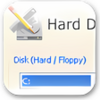
The graphical interface is clear and intuitive, enabling even novice users to initiate drive cloning or backup tasks with minimal confusion. Step-by-step wizards guide users through each process, reducing the risk of mistakes and clarifying available options. Advanced users can access more granular controls for custom backup operations.
Performance wise, EaseUs Disk Copy is meticulous. The thorough scanning process checks for read errors, helping prevent the transfer of corrupted data or future system instability. While this approach prioritizes data integrity, it can result in lengthy scanning and copying times, particularly with larger drives. Users planning to copy high-capacity disks should expect operations to take several hours, so scheduling tasks outside of working hours is recommended.
Additional Utilities
The software provides tools to create bootable USB drives or CD/DVDs, which is invaluable for transferring systems or recovering data when the operating system fails to load. This functionality allows users to clone or restore disks independently of their installed system, increasing reliability in critical recovery scenarios.
Reliability and Support
EaseUs Disk Copy is known for its accuracy and consistency in cloning operations. The warning system notifies users of potential read errors, allowing preemptive action before data loss occurs. Multilingual support and comprehensive online documentation further enhance accessibility for users worldwide.
Conclusion
EaseUs Disk Copy delivers a feature-rich solution for anyone needing to clone, backup, or migrate data between disks. The emphasis on data integrity and support for various storage devices make it a dependable choice, though users should be aware of longer operation times for thorough scans and large transfers.
Pros
- Intuitive interface with step-by-step guidance
- Supports a wide variety of drive types and large capacities
- Sector-by-sector and partition-level cloning options
- Bootable media creation for system recovery and migration
- Read error detection for data integrity
Cons
- Longer copying times, especially with large drives
- No built-in compression or incremental backup options
- Limited advanced configuration for expert users